
A digital fabric libraries workflow is a repeatable method for turning physical fabric information into managed digital records that teams can use in apparel design, communication, and 3D development. This guide explains how to connect material identity, visual assets, physical-property inputs, source details, and version status without treating a realistic render as proof of validated fabric behavior. Apparel Wiki is an independent educational publication; its editorial work is supported separately from content decisions through its Sponsor information.
The goal is not to prescribe one software system. A practical workflow defines how fabric records are created, checked, updated, approved, and used. It also makes the limits of each record visible, so a visual-ready asset is not mistaken for a simulation-ready or physically validated material.
What Is a Digital Fabric Library Workflow?
A digital fabric library is a managed set of fabric records rather than a folder of swatch photographs. Each record can connect a material’s identity with appearance files, available physical-property inputs, source information, usage notes, and version history. The library gives a team a consistent place to compare materials and understand what is known, what is estimated, and what remains unavailable.
The workflow is the operating method around that library. It governs intake, naming, asset creation, review, approval, revision, and archive decisions. For example, a fabric may first be approved for visual exploration while its physical inputs remain incomplete. That distinction lets a designer use the record for an appropriate decision without implying that every aspect of the material has been confirmed.
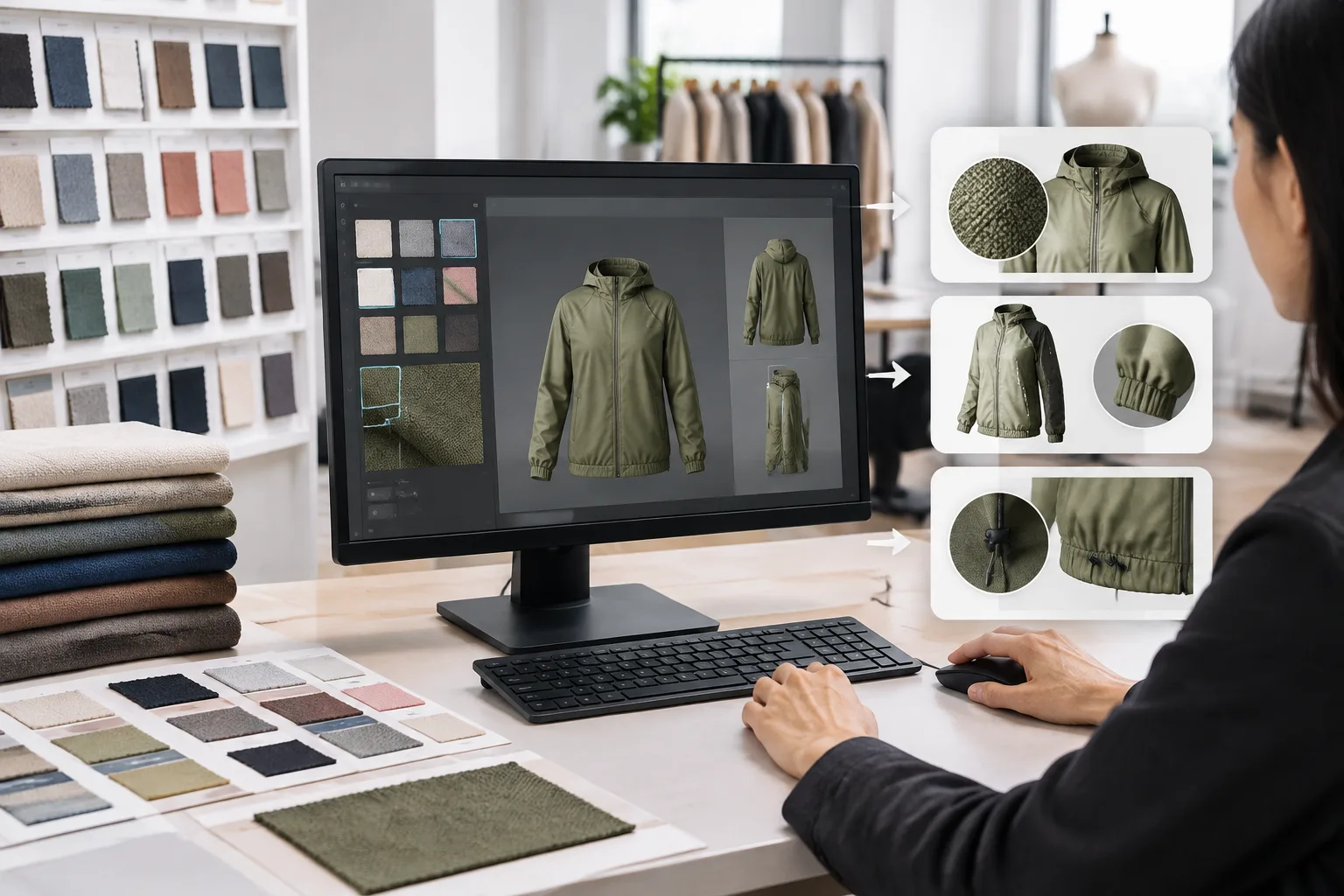
In a fabric library for 3D apparel, the record may support colorway review, material selection, silhouette work, communication with development partners, or simulation preparation. The final digital result still depends on the pattern, body model, material inputs, and simulation settings used together. A convincing image can show that the digital asset looks plausible; it does not, by itself, prove that the fabric’s physical response has been validated.
Why Fabric Records Need More Than a Swatch Image
A swatch image primarily describes appearance: color, print, texture, sheen, surface variation, or a visible repeat. Those details are important for visual development, but they do not automatically provide the information used to represent physical response. Stretch, bending, drape, recovery, and other material behaviors require their own documented inputs or evaluation. A photograph should therefore be treated as one part of digital fabric asset data, not as a complete material record.
Material identity also needs several separate layers. Fiber composition describes what the material is made from. Yarn information may add useful detail when it is available. Fabric construction describes how the material is formed, while finishing treatment records later processes that may affect appearance or behavior. Commercial or trade names can be useful search terms, but they may be broad, regional, or incomplete. A familiar name should not replace the underlying fabric material information.
Construction terms are especially easy to misclassify. Satin, for example, can describe a fabric construction category and should not automatically be treated as a fiber name. Likewise, knitted and woven describe different structural approaches, not universal performance outcomes. Structure can provide useful clues, but it does not alone determine stretch, breathability, durability, or suitability for a particular garment. Composition, yarn choices, finishing, construction details, and intended use still matter.
Keeping visual and physical information separate improves communication. A team can ask whether a record is visually sufficient for a mood or colorway review, then ask a different question about whether the available inputs are sufficient for a particular 3D evaluation. This separation also prevents missing values from being hidden behind attractive imagery.
Set the Minimum Data Structure Before Uploading Fabric Assets
Before uploading files, define a flexible record structure. The purpose is not to create a universal mandatory specification, but to make important distinctions visible and keep records traceable. A stable internal material ID should remain attached to the record even when a file name, supplier, image, or linked asset changes. Unknown values should be recorded as unknown rather than completed with assumptions.
| Field group | Example contents | Why it matters |
|---|---|---|
| Identity | Internal material ID, composition, yarn information, construction, finish, commercial name | Separates the material’s identity from informal labels and search terms |
| Source context | Sample reference, supplier or source, product context, capture date | Shows where the record came from and when the information was collected |
| Appearance assets | Color reference, texture or surface files, repeat information, linked images | Supports visual comparison and helps users locate the correct digital assets |
| Physical-property inputs | Available values, input source, measured or supplier-provided status, unavailable fields | Prevents visual information from being mistaken for complete simulation data |
| Review and usage | Responsible reviewer, intended use, confidence or validation status, usage notes | Makes the record’s current reliability and permitted decision context clearer |
| Version control | Revision date, change notes, linked files, status such as draft or superseded | Helps users distinguish current records from older or replaced versions |
Useful status labels might include draft, pending review, approved for visual use, approved for simulation use, and superseded. These labels should describe the team’s actual approval process. They should not be treated as proof of a universal level of physical accuracy. The important principle is that users can see what a record is ready to support and where further checking is required.
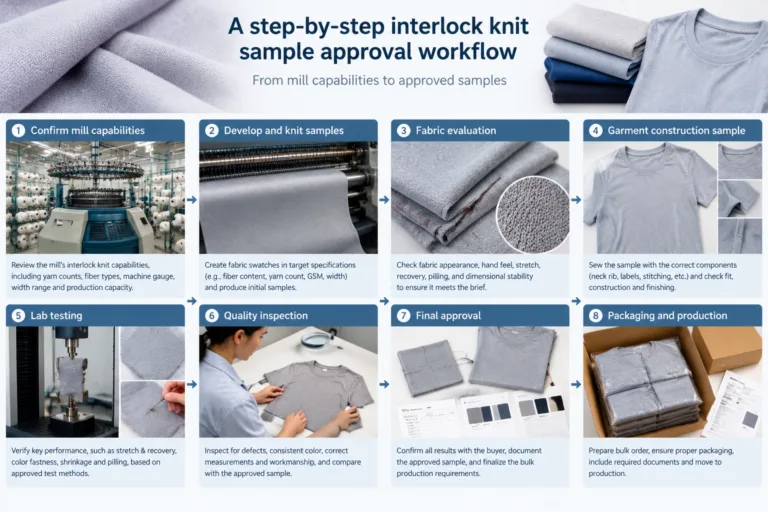
A Step-by-Step Workflow for Creating Digital Fabric Library Entries
The following procedure provides a practical starting point for a digital fabric libraries workflow. The exact capture method and physical-property inputs depend on the team’s tools, material category, and intended use.
- Receive and identify the physical sample. Connect the sample with available documents, source information, intended product context, and a stable internal material ID. Resolve obvious duplicates before creating a new record.
- Capture or collect appearance assets. Store color, texture, surface, and repeat information using a consistent naming and storage convention. Keep the connection between each file and the underlying material record.
- Record material identity separately from commercial language. Enter composition, available yarn information, construction, and finishing details as distinct fields. Retain trade names as references rather than treating them as complete specifications.
- Add available physical-property inputs. Identify whether each value is measured, supplied by another party, estimated, or unavailable. Do not fill gaps simply to make the record appear complete.
- Create the 3D-ready asset. Link the digital asset to the fabric record and retain enough information to trace which source record, files, and inputs were used. No capture process should be assumed to produce accurate simulation parameters automatically.
- Review the entry before release. Check completeness, source attribution, asset links, permissions, duplication, intended use, and version status. Release the record only with a clearly stated status.
- Update, supersede, or archive when conditions change. A changed finish, composition, construction, source, physical input, or linked file may require a new revision or a replacement record. Add a change note so later users can understand what changed and why.
Traceability is more valuable than unnecessary administrative complexity. A smaller library with clear records and visible limitations is usually more useful than a large collection in which users cannot tell whether an asset is current, sourced, or suitable for the decision at hand.
Match the Library Entry to the 3D Apparel Decision It Supports
A complete record is useful only when it supports a defined decision. The same fabric entry may be sufficient for early colorway exploration but inadequate for fit review or production handoff. Before using an asset, state whether the purpose is visual exploration, color comparison, silhouette evaluation, fit review, sampling communication, or a later development decision.
Garment behavior in 3D comes from several inputs working together: the pattern, the avatar or body model, fabric information, and simulation settings. A convincing image therefore shows the result of that particular setup. It does not prove that the material will behave identically across another pattern, posture, body shape, or use condition.
| Decision type | Minimum digital evidence | What may still need physical confirmation |
|---|---|---|
| Early visual exploration | Color, print, texture, scale, and a clearly identified fabric asset | Hand feel, surface variation, and final appearance under relevant lighting |
| Colorway or silhouette review | Consistent appearance assets, pattern version, and stated viewing setup | Material response, drape differences, and construction details that affect the sample |
| Fit or movement review | Relevant avatar, posture, pattern version, fabric inputs, and simulation settings | Fit across additional bodies, movement conditions, and physical sample behavior |
| Production or quality handoff | Traceable material identity, approved files, input status, and change history | Required product, customer, performance, care, or final approval checks |
Record the avatar, posture, pattern version, and important simulation settings whenever a digital fabric informs a consequential review. A single static avatar cannot represent every body shape or activity. This context makes comparisons more honest and helps the next reviewer understand what the digital result does and does not show.
Build Quality Checks and Version Control Into the Workflow
Quality control starts before an entry becomes searchable. A practical pre-release check should confirm the internal material ID, naming consistency, material identity, linked appearance files, source attribution, capture or update date, usage permissions, intended use, and validation status. It should also check for duplicate records and confirm that the displayed files belong to the stated revision.
Use visible approval states to separate different levels of readiness. For example, an entry may be marked draft, pending review, approved for visual use, approved for simulation use, or superseded. These labels should describe the evidence available for that record, not imply that every property has been independently verified. Incomplete or unverified physical inputs should remain visible rather than being replaced with guesses.
Change notes are essential when a composition, construction, finish, supplier source, physical input, color, or linked file changes. Depending on the significance of the change, the team may create a new revision or supersede the existing record. Keep older records available for traceability, while making the current approved version easy to identify. This prevents an outdated asset from quietly returning to a later collection or sample review.
Access rules can remain simple. Assign responsibility for editing core identity fields, reviewing source information, and approving 3D-use status. Set review triggers around supplier updates, new measurements, material substitutions, or a new development cycle rather than assuming that every record needs the same review schedule. Governance should clarify decisions without turning a small library into an unnecessarily heavy administrative system.
Where Digital Fabric Libraries Stop—and What to Validate Physically
A digital fabric library can make comparison and communication more consistent, but it does not automatically confirm hand feel, change after laundering, safety-related performance, or every aspect of in-use behavior. A realistic render is still a digital result produced from selected inputs and settings. Its usefulness depends on how closely those inputs represent the material and decision being considered.
Physical confirmation deserves particular attention when the material has a critical structure, when customer-facing feel matters, when performance requirements carry significant consequences, when care or washing may alter the result, or when the product reaches final approval. The appropriate confirmation may involve a physical sample, a relevant evaluation, or another project-specific review. The required level should follow the product, customer, and applicable expectations rather than a universal rule.
When a decision affects fit, quality, cost, or compliance, compare the important virtual outcome with the relevant physical material or sample. Note which observations matched, which differed, and whether the difference came from the fabric record, pattern, avatar, construction, or simulation setup. That feedback improves the library more effectively than simply adding more assets.
A manageable pilot is a useful next step: choose one product category, define the fields needed for its decisions, digitize a limited group of representative fabrics, and label each entry by its evidence and intended use. Review how designers and developers actually use the records, then revise the structure and checks around observed gaps. Related Apparel Wiki resources on fabric construction, material specifications, 3D apparel inputs, and garment quality evaluation can support the next stage of learning.

FAQ
What information should every digital fabric library entry include?
At minimum, identify the material, connect it to its appearance assets, record available physical-property inputs, cite the source of each input, state the intended use, and show the record’s version and validation status. Unknown values should be marked as unknown.
Can a fabric photo provide all the inputs needed for 3D simulation?
No. A photo can communicate some visual characteristics, but it cannot reliably provide every physical input needed for simulation. Visual assets and physical-response information should be collected and reviewed as separate parts of the record.
How should teams distinguish a visual-ready fabric asset from a simulation-ready asset?
Use explicit approval states. A visual-ready asset has sufficient appearance information for its stated purpose. A simulation-ready asset also has documented physical inputs and review context appropriate to the intended simulation decision.
When does a digital fabric library still need physical sample validation?
Physical validation remains important when hand feel, care effects, critical construction, customer expectations, performance consequences, fit, or final production approval cannot be adequately judged from the digital record alone.
How can a team avoid duplicate or outdated digital fabric records?
Keep a stable material ID, use consistent naming, check for duplicates before release, record changes, retain superseded revisions, and make the current approved status visible. Clear ownership for editing and approval also reduces conflicting records.