2D pattern CAD vs 3D apparel simulation is a comparison between two different development jobs. 2D CAD creates and revises flat pattern geometry; 3D simulation uses pattern and other inputs to review a virtual garment on a digital body or form. Prioritize 2D when the immediate question is about pattern pieces or revisions, 3D when it is about visual proportion or ease, and both when the key issue is a controlled handoff. Apparel Wiki offers independent educational guidance, not a software assessment; its sponsorship information describes editorial independence.
2D Pattern CAD vs 3D Apparel Simulation: What Each Stage Does
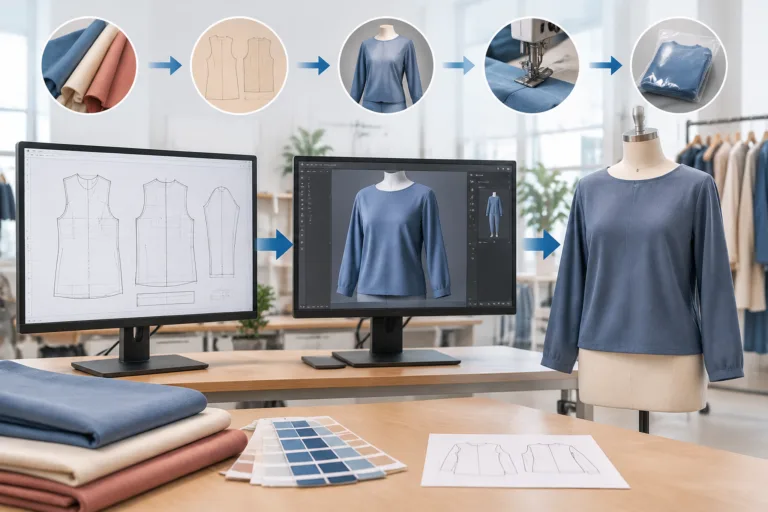
In practical garment development, 2D pattern CAD is the digital work of creating or editing flat pattern pieces and their technical geometry. Depending on the system and process, that work may include measurements, size development, or other pattern operations. Its primary output is pattern information used to define the garment’s pieces and their relationships.
3D apparel simulation represents a garment assembled from pattern and other inputs on a digital body or form. It gives a spatial view for reviewing how the garment appears under the chosen settings. The primary output is a virtual garment representation, not a replacement pattern artifact.
These outputs answer different questions. A pattern maker may use 2D tools to adjust a panel or revise a piece, while a product developer may use a 3D view to discuss silhouette, visible ease, or seam placement. A convincing image does not by itself establish physical fit, production readiness, or performance. Those conclusions require appropriate evaluation beyond appearance in a virtual view.
The capabilities can connect in a workflow, but the sequence and integration vary with software, garment type, team responsibilities, and development process. A practical way to choose is to identify the uncertainty first: pattern construction calls for pattern control; visual review calls for a useful virtual representation; a cross-stage decision calls for a clear handoff between them. This is a stage-based editorial model, not a specification that applies identically to every product.
What 2D Pattern CAD Contributes to Garment Development
A digital pattern records garment geometry: pieces, key dimensions, shaping, and relationships such as where edges are intended to join. Depending on the patternmaking method and selected system, teams can use 2D garment pattern CAD to manage edits, compare revisions, and develop sizes. The exact tools and operations are not uniform across packages.
This control matters when a change must be traceable. If a style has complex panel lines or repeated size revisions, the immediate priority may be to confirm the correct pattern pieces and dimensions before asking a 3D review to assess the result. Otherwise, visual feedback may be based on an outdated or incomplete version.
For a review to be interpretable, the supporting product information should agree with the pattern. Keep drawings, measurement points, units, material or construction notes, and revision identifiers aligned. A pattern file is not automatically a complete technical package: reviewers also need to know what version they are seeing and which assumptions apply.
Flat geometry has limits. A clean digital pattern does not alone establish how a garment will drape, fit a particular body, or respond to fabric behavior. Those questions depend on inputs and evaluation beyond the pattern artifact. Treat 2D pattern development as control of the technical geometry, not proof of the finished garment’s physical outcome.
What 3D Apparel Simulation Adds to the Review Stage
3D apparel simulation can help a team inspect a virtual garment’s silhouette, balance, visible ease, proportions, and seam placement. It creates a spatial review context that flat pieces alone do not show. These observations are useful for discussing possible revisions, but they describe the representation under its inputs, not a measured physical test.
Interpretation depends on the pattern geometry, body or avatar dimensions, fabric settings, assembly assumptions, tension, pose, and source-data quality. If material settings are incomplete, the chosen body does not reflect the intended wearer, or the pattern version is wrong, the image may look coherent while answering the wrong question. Record these assumptions alongside the review rather than treating the image as self-explanatory.
For example, a team reviewing silhouette and ease in a lightweight knit may compare virtual revisions before making a physical sample. The comparison can help focus discussion, but its meaning depends on how well the fabric behavior and other inputs are represented and on the evaluation method used. It does not establish comfort, durability, stretch recovery, or wash performance.
Use 3D as decision support for visual and spatial questions, not as universal proof of final fit or production approval. When a concern involves physical behavior, the virtual view alone cannot settle it. The appropriate next evaluation depends on the claim being assessed and the garment’s intended use.
How 2D and 3D Tools Connect Across a Development Workflow
A 2D-to-3D apparel workflow is most useful when the team treats it as a feedback loop, not a one-way file transfer. Establish or revise the pattern, bring the relevant pattern and product inputs into a 3D review, record a specific question or proposed change, then update the controlled source data and review again.
A useful handoff needs more context than a file. Keep piece identities, dimensions, units, material assignments, construction assumptions, body or avatar selection, and revision status clear. The technical package should make those details readable alongside drawings, measurement points, and material or construction notes.
Define which source is authoritative for each field. A pattern edit changes garment geometry; changing a material setting or body input may instead change the representation or review context. If style IDs, colors, sizes, material codes, or revision numbers conflict, those ambiguities can carry into downstream work. Automation does not decide which definition is correct.
Successful import alone does not prove that dimensions, materials, versions, or identity information remained intact. Before relying on a connected workflow broadly, test a representative set: a straightforward style, a more complex one, multiple sizes, and known edge cases. Record what transferred, what needed correction, and how exceptions were resolved.
For a repeatable handoff, document data ownership, version rules, required fields, exception handling, and who resolves mismatches. This keeps a virtual review connected to controlled product information instead of leaving it as an isolated image.
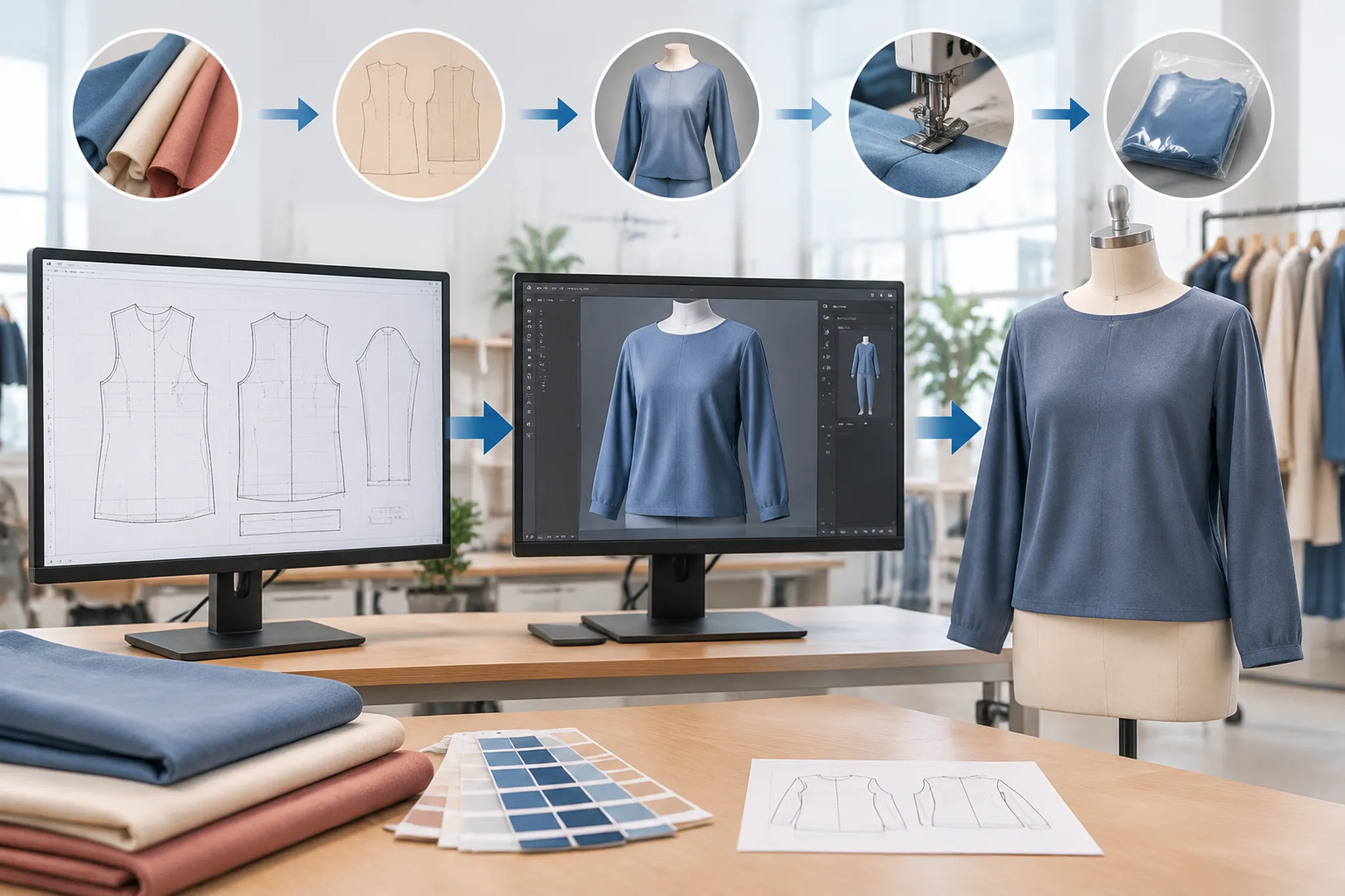
Which Capability Should You Prioritize?
Start with the uncertainty the team needs to reduce: pattern geometry, visual proportion, communication between development roles, or repeatability of the handoff. The table is an editorial decision aid, not a product ranking. A first priority can change with garment type, fabric behavior, body inputs, operator skill, integration quality, and the state of existing product data.
| Observable input or need | Likely implication | Initial capability to prioritize | Variables that could change the choice |
|---|---|---|---|
| Pattern geometry needs creation or revision | Control of pieces and dimensions is the immediate decision. | 2D pattern CAD | Pattern complexity, current pattern data, and the team’s methods |
| Proportion or visible ease needs early review | A spatial view may help assess the virtual garment. | 3D apparel simulation | Body inputs, fabric settings, construction assumptions, and review purpose |
| Repeated size or style revisions are difficult to track | Controlled pattern data and clear revision ownership matter. | 2D pattern CAD, with 3D review where relevant | Grading approach, system capabilities, and revision discipline |
| A 2D-to-3D handoff needs coordination | Both representations and their associated data need clear ownership. | Both, evaluated as a workflow | Integration behavior, required fields, and exception handling |
| The team is considering broader digital use | Readiness depends on repeatability across representative cases. | A small workflow pilot using both | Sample range, data quality, training, integration, and maintenance effort |
Resolve inconsistent style IDs, material codes, units, or revision ownership before expecting visualization or automation to fix the process. To evaluate a pilot, compare like-for-like tasks against a baseline using a representative sample, an observation period, and clear exit criteria. Assess decision quality alongside time, training, integration, and maintenance effort; a software demonstration alone does not establish actual results.
Use the Two Stages Together Without Confusing Their Roles
2D pattern CAD primarily controls flat pattern development; 3D apparel simulation primarily supports virtual garment review. Their connection can help teams move between those decisions, but it does not make the tools interchangeable. Before generalizing from one style, document a representative workflow and compare its pattern data, material assumptions, revision trail, data ownership, review criteria, and applicable evaluation method.
Frequently Asked Questions
Can 3D apparel simulation replace 2D pattern CAD?
No. A virtual garment review does not take the place of controlling and revising the underlying pattern geometry. The tools can work together, but they support different decisions.
Is 2D pattern CAD or 3D simulation more important for a new apparel development workflow?
Prioritize the capability that addresses the immediate uncertainty. Pattern construction points to 2D control; visual and spatial review points to 3D. A connected workflow may need both, depending on the garment, inputs, and team process.
What information needs to move from a 2D pattern into a 3D garment review?
Keep piece identity, dimensions, units, revision status, and relevant material and construction assumptions understandable. The body or avatar selection and other review inputs also need to be recorded so the virtual view has context.
Why can a 3D garment look correct even when the physical garment still needs revision?
The virtual appearance reflects its inputs and assumptions. Inaccurate pattern data, material settings, body dimensions, or assembly assumptions can make the representation answer the wrong question. Appearance alone does not establish physical fit or performance.
How should a team evaluate whether its 2D-to-3D workflow is working?
Compare representative tasks against a baseline, with defined samples, an observation period, and exit criteria. Check decision quality and handoff errors as well as time, training, integration, and maintenance effort.
Does a successful file import prove that 2D and 3D apparel software are fully compatible?
No. Import success does not show that dimensions, materials, versions, and identity information transferred intact. Check representative simple and complex cases, multiple sizes, and known edge cases, and document exceptions.