Back-in-stock notification mistakes occur when an alert is sent for the wrong product variant, reflects inventory that customers cannot actually buy, or gives subscribers an incomplete expectation of what has returned. A back-in-stock notification is a customer alert connected to a product or product variant that was previously unavailable. In apparel, that distinction matters: a black medium, a cream small, and a new production batch may each have different availability. This independent educational guidance from Apparel Wiki is separate from any retail, manufacturing, or notification service; you can learn more about the publication through its Sponsor information.
The most consequential back in stock notifications mistakes usually involve variant mapping, sellable inventory, product information, timing, duplicate sends, or weak follow-up analysis. An alert may be technically delivered and still fail commercially or operationally if the recipient cannot select the intended size, the advertised color is unavailable, or checkout rejects the item. These causes are troubleshooting hypotheses to verify against the relevant store, inventory, order-management, and messaging records, not universal explanations for every platform.
What Are Back-in-Stock Notification Mistakes?
A back-in-stock alert is useful only when four elements agree: the message identifies the item the customer wanted, the relevant inventory is genuinely available for sale, the alert reaches an appropriate subscriber, and the wording sets accurate expectations. A product page becoming active again does not necessarily mean that every size, color, fit, or batch is ready to purchase.
For example, a brand may receive a limited replenishment of a jacket in two sizes while the remaining sizes stay unavailable. If the message simply says that the jacket is back, a customer may click through expecting a complete size run. The problem could be a data-mapping error, unclear page wording, an inventory allocation issue, or a notification rule that does not distinguish variants. The visible symptom is similar, but the verification path is different.
Common back in stock alert problems should therefore be separated into distinct questions:
- Identity: Does the style, color, size, image, price, inventory record, and product identifier refer to the same sellable item?
- Availability: Is the recorded stock released for sale, visible on the storefront, allocated correctly, and fulfillable?
- Information: Does the notification and landing page provide enough detail for the customer to reassess the purchase?
- Timing: Did the message arrive after the relevant inventory event, and was it sent only as often as intended?
- Measurement: Can the team distinguish delivery from a successful product-page visit, cart attempt, checkout, and completed order?
This framing keeps general ecommerce troubleshooting separate from platform-specific behavior. Apparel brands should consult the documentation for their particular store and messaging systems, then compare it with direct evidence from the affected customer journey. Apparel Wiki provides practical industry guidance, not a claim to operate a retail notification system or to determine the cause without access to those records.
Mistake 1: Treating a Product Restock as a Restock of Every Variant
One of the most common errors is treating a style-level restock as proof that every variant is purchasable. In a variant-based apparel catalog, a style can contain several colors and sizes, with separate identifiers, prices, images, or inventory records. Stock in one size or color should not automatically be presented as availability for the entire style.
The relevant comparison is between the variant named or implied by the notification and the exact item the customer can select. Check the style code or product identifier, color name, size, image, price, and inventory record across the message, product page, storefront data, and fulfillment system. A mismatch may be a data-mapping problem. It may also be a customer misunderstanding caused by a headline such as “Your favorite jacket is back” when only one color has returned.
| Customer symptom | Possible hypothesis | Useful verification |
|---|---|---|
| Alert arrived, but the requested size is unavailable | A style-level event triggered a message for a partial replenishment | Compare the message event with the exact size-level inventory record and trigger rule |
| Message shows one color, but the link opens another | Variant URL, image, or identifier mapping is inconsistent | Open the original link and compare its selected color with catalog and event data |
| Variant appears available but cannot be added to cart | Storefront stock differs from cart or checkout availability | Test the advertised size and color through selection, cart, and checkout |
Test the customer journey using the exact link and variant represented in the alert. Confirm that the page opens the intended item, the selector permits the advertised choice, the item enters the cart, and checkout accepts it under the relevant operating conditions. Do not assume that every ecommerce platform sends product-level or variant-level alerts in the same way. The platform’s documentation and the event record should establish how alerts are triggered and suppressed.
Mistake 2: Sending an Alert When Inventory Is Not Reliably Sellable
A stock count alone does not prove that a customer can complete a purchase. Recorded inventory may include units that are reserved, allocated to another channel, awaiting a manual correction, hidden from the storefront, or not yet available for fulfillment. The exact meanings of “on hand,” “available,” “reserved,” “allocated,” and “sellable” depend on the retailer’s systems and operating rules.
When a customer reports “back in stock alert but item unavailable,” investigate several competing hypotheses. The storefront may not have received the latest inventory change. A warehouse or order-management system may have assigned the units elsewhere. A cancellation or returned item may have briefly generated an availability event before the record was corrected. Overselling or a manual stock adjustment may also be relevant, but none of these should be treated as confirmed without evidence.
Compare timestamped records from the storefront, inventory source, warehouse or fulfillment system, order-management system, and notification service. Follow the item from message creation through delivery, click-through, product-page visit, cart attempt, and checkout. If availability disappears between those steps, record where the state changed and which system owns that state. Assigning one owner to reconcile the records can prevent each team from treating its own count as the complete definition of availability.
The practical test is whether the advertised variant could be purchased and fulfilled under the conditions represented by the message. Platform or integration documentation may explain synchronization timing and failure handling, but it cannot replace the affected event logs and order records. Avoid promising a universal synchronization interval or inventory-control rule; the investigation must reflect the retailer’s actual architecture and operating process.
Mistake 3: Making the Notification Too Vague for Apparel Products
A technically correct alert can still create a poor buying experience when it omits information the recipient needs to reassess the item. Apparel customers may need the exact style, color, size, fit or measurement context, material details, care information, price, and product imagery. The message and destination page should identify the same variant rather than forcing the customer to reconstruct the intended purchase.
Product information should also distinguish model presentation from garment facts. Edited imagery should not be treated as proof of actual color, transparency, or structure, and model information should not substitute for garment measurements. These details become more important when the replenishment is limited, seasonal, or associated with a changed specification. Inventory availability does not by itself mean that the product page is ready for a reliable purchase decision.
Before sending, verify the notification copy, subject line, image, destination URL, variant selection, current specifications, measurements, care information, and price. Then compare customer-service contacts and return reasons by SKU, variant, and campaign. Questions or returns may indicate a content problem, but they are outcomes to investigate rather than automatic proof that the notification caused the issue. Size or fit concerns, description mismatch, quality concerns, and purchasing behavior require different interpretations.
Mistake 4: Getting Timing, Frequency, or Recipient Expectations Wrong
A back-in-stock alert can fail even when the product and variant data are correct. The message may arrive after the available units have already been claimed, or the same recipient may receive repeated alerts for one replenishment. A limited return of one color or size can also be interpreted as a broad restock if the wording does not state what changed.
Review the event sequence rather than looking only at the delivery result: subscription, inventory change, message creation, delivery, click, product-page visit, cart attempt, and checkout. A delivered or opened message does not prove that the intended purchase opportunity was available. The product may have become unavailable during that sequence, or the link may have led to a page where the recipient had to reconstruct the correct variant.
Duplicate back-in-stock notifications can have several possible explanations, including repeated inventory events, partial replenishments, cancellations, manual stock edits, or unclear suppression rules. These are hypotheses to verify in the notification and inventory records, not universal platform behaviors. Compare the intended trigger with the actual events and document how one subscriber should be treated when availability changes more than once.
Message language should match the opportunity. Identify the specific style, color, and size when those details are known, and avoid implying that availability is broad, permanent, or guaranteed. Before changing a campaign, record the intended trigger, recipient logic, suppression behavior, and customer journey. Where consent, unsubscribe handling, or promotional messaging requirements apply, review validated requirements for the relevant market instead of relying on a general assumption.
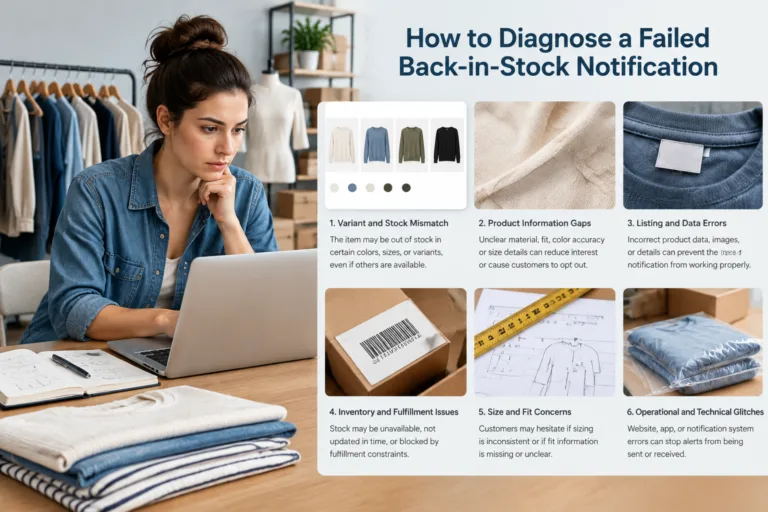
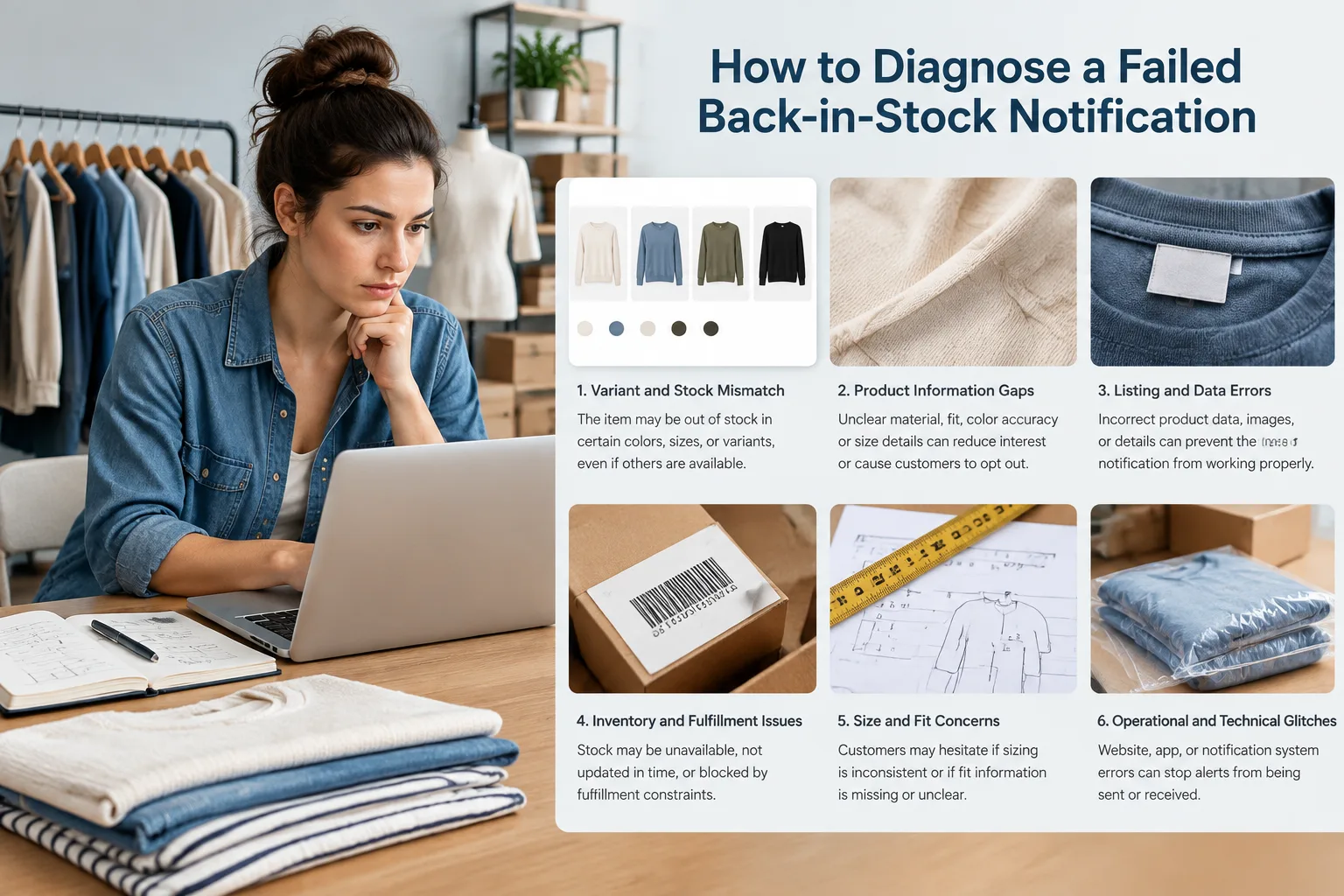
How to Diagnose a Failed Back-in-Stock Notification
Begin with the customer-reported symptom, not a presumed cause. Record the affected style and variant, message timestamp, destination link, customer location when relevant, and whether the exact item could be added to the cart and purchased. Preserve the original message and page state where possible. A single screenshot may show what happened at one moment, but it does not establish why the failure occurred.
Next, build competing hypotheses across variant mapping, inventory, product content, notification logic, fulfillment, and measurement. For example, “the size was unavailable” could reflect an incorrect variant link, a synchronization delay, a reserved unit, a checkout rule, or a customer viewing a different color than the one in the message. Each hypothesis should have supporting evidence, possible counterevidence, and a small verification test.
| Observed symptom | Possible hypothesis | Useful verification |
|---|---|---|
| Alert names a size that cannot be selected | Variant mapping or link selection error | Compare the message link, product identifier, variant record, and selector state |
| Product appears available, but checkout fails | Sellable inventory or allocation mismatch | Compare timestamped storefront, inventory, order-management, cart, and checkout records |
| One subscriber receives several alerts | Repeated trigger or missing suppression | Match subscription, inventory, and notification events for that recipient |
Use a controlled test for one affected variant when the evidence supports it. Follow the same path as the customer: open the original destination, select the advertised size and color, add the item to the cart, and proceed through checkout as far as permitted. Compare the result with the relevant inventory and fulfillment records. Do not alter the system before preserving the original timestamps, identifiers, copy, and links.
Classify the finding as a confirmed cause, an unsupported hypothesis, or an unresolved issue. Then document the corrective action, responsible owner, validation date, and any customer-facing correction. If the records disagree, escalate the data mismatch or integration question to the team that owns the relevant system rather than presenting a common cause as a conclusion.
How to Prevent Repeat Errors and Measure the Fix
A pre-send review should cover variant identity, sellable inventory, product-page readiness, link behavior, recipient logic, message clarity, and duplicate suppression. The checklist should be specific enough to verify the exact style, color, and size being advertised. Product availability alone is not evidence that the page, image, measurements, care details, and purchase path are ready.
After a change, monitor purchases alongside downstream signals such as customer-service contacts, stockout complaints, cancellations, and variant-related returns. Segment the results by SKU, size, color, batch, channel, and notification path when the available data supports those distinctions. This helps separate a notification issue from a broader product, fulfillment, or customer-expectation problem.
Interpret return reasons carefully. Size or fit concerns, description mismatch, quality concerns, and purchasing behavior require different follow-up. A change that improves purchases may also change the volume or type of support contacts and returns. Record the test period, sample, seasonal conditions, other campaign changes, and operational disruptions before attributing an observed improvement to the notification change.
The practical next step is to choose one recent failed alert and complete the investigation from original message through checkout and fulfillment evidence. Use the result to refine the pre-send checklist and assign an owner for unresolved mismatches. Apparel Wiki is an independent educational publication, so platform-specific behavior, privacy requirements, and operational decisions should be confirmed against the relevant system documentation and responsible teams.

FAQ
Why did a customer receive a back-in-stock notification when the item was still unavailable?
The alert may have been triggered by recorded inventory that was reserved, allocated elsewhere, synchronized late, or no longer available by checkout. Compare the message timestamp with storefront, inventory, cart, and order records before assigning a cause.
Can a back-in-stock notification apply to one size or color instead of the whole product?
It can, depending on the retailer’s product and notification setup. The message, link, product page, and inventory record should make the specific purchasable variant clear.
What should an apparel brand check before sending a restock alert?
Check the exact style, color, size, sellable inventory, product-page content, imagery, destination link, recipient logic, and duplicate suppression. Test the advertised variant through cart and checkout where appropriate.
How can a brand investigate duplicate or late back-in-stock notifications?
Map subscription, inventory, message creation, delivery, click, and checkout events with timestamps. Compare the observed sequence with the intended trigger and suppression rules documented for the notification system.
Which customer-service and return signals help identify a notification problem?
Review stockout complaints, unavailable-variant contacts, cancellations, and returns coded for size or fit, description mismatch, quality, or other reasons. Segment by SKU, variant, batch, channel, and campaign when possible.
Should back-in-stock notification results be judged by purchases alone?
No. Purchases should be considered with checkout failures, cancellations, service contacts, stockout complaints, and relevant return reasons. Results should also account for timing, seasonality, sample size, and other changes made during the review period.