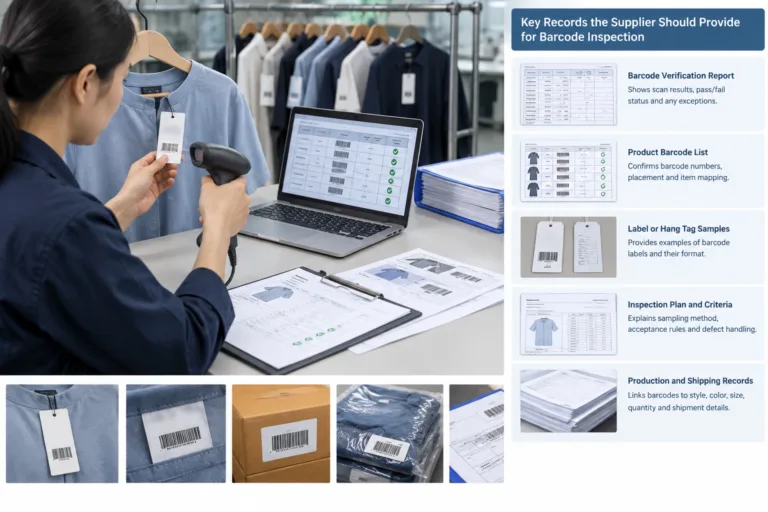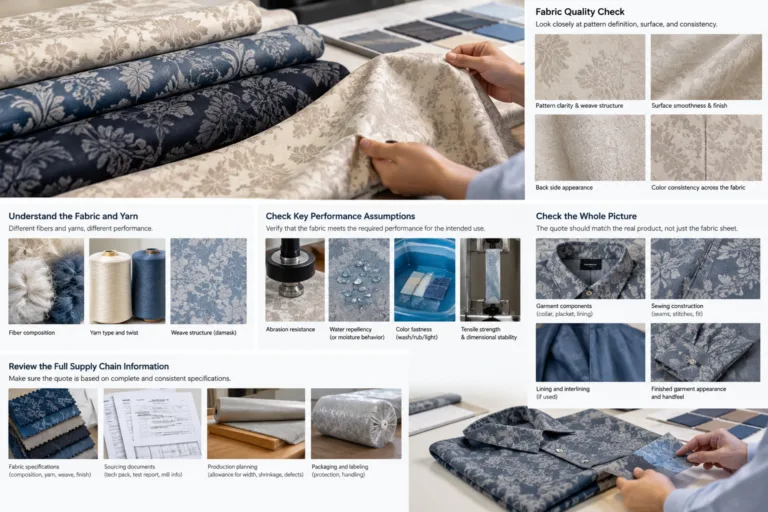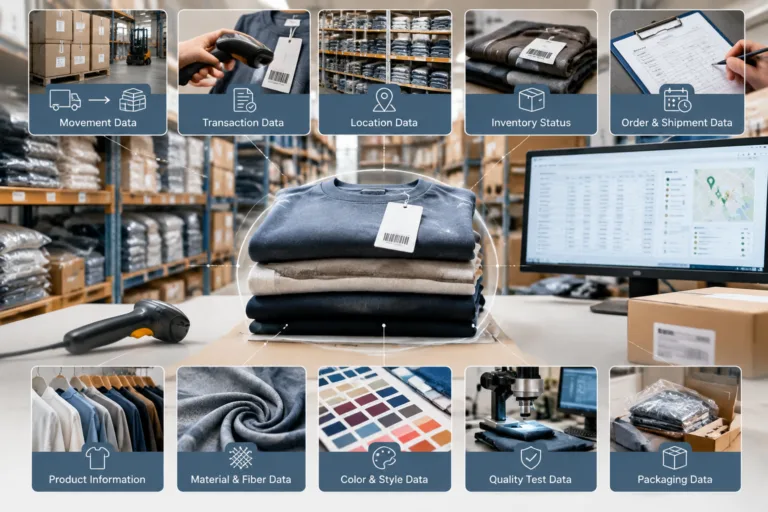

Apparel B2B portal data quality means keeping product and transaction information complete enough for its intended task, consistently named, current, traceable to an owner, and usable by the receiving party. Reliable preparation starts with defined fields, controlled identifiers, linked records, and checks for missing, conflicting, duplicated, or outdated values. Apparel Wiki is an independent educational publication; its editorial and sponsorship information is described on the Sponsor page.
This is a process and ownership issue as much as a software issue. A portal may accept a file, but successful upload does not prove that style identity, dimensions, materials, revisions, images, or relationships were preserved. The practical goal is to make the business meaning of each record clear before it is exchanged.
What Does Data Quality Mean for Apparel B2B Portals?
Reliable apparel portal data is information that supports a defined business decision without forcing the receiving team to guess. “Complete” does not mean that every possible field is filled. It means that the fields needed for a particular task are present and usable. A product listing may need a style number, product description, color, size range, images, and status. A quotation request may also need material details, order quantities, packaging assumptions, and delivery-related information.
Quality is therefore task-dependent. A purchase order, technical package, shipment record, and catalog entry can describe the same garment while requiring different levels of detail and different validation rules. A field that is optional for product discovery may be essential for costing or production. Teams should document these differences instead of treating one universal record as sufficient for every workflow.
Inconsistent values create problems when information moves among product development, merchandising, sourcing, purchasing, production, quality, and fulfillment. For example, one team may identify a garment as style “JKT-204,” while another uses “204JKT.” A color called “Navy” may appear elsewhere as “Dark Blue,” and a size label may be entered as “M,” “Medium,” or a local size code. Similar issues occur when material codes, measurement units, supplier references, or revision labels are changed without a shared definition.
These examples are editorial guidance for building a dependable process, not claims about the requirements or behavior of any specific portal, platform, or integration. Portal field rules and file formats must be checked against the relevant documentation. Regardless of the technology, a file opening successfully is only a technical event. It does not confirm that the receiving system retained the intended product identity or business meaning.
Which Apparel Data Fields Need the Most Control?
Begin with the entities that people use to identify, describe, price, make, inspect, and ship a product. A practical apparel product data structure commonly includes the following areas:
- Product identity: Style or model number, product name, brand, season or collection, product type, and lifecycle status.
- Variant identity: Colorway, color reference, size range, SKU or other item identifier, and the relationship between the base style and each sellable variant.
- Technical information: Measurement units, size specifications, construction details, bill of materials, material composition, trims, artwork, images, and technical files.
- Supply information: Supplier or factory reference, approved material source, packaging details, order quantities, and relevant production instructions.
- Commercial and transaction data: Pricing fields, currency, effective dates, order status, quantities, and references to quotations or purchase orders.
- Control information: Record owner, revision label, approval state, creation or update date, and links to superseded or related records.
Separate descriptive content from operational data. Descriptive content helps a user find and understand a garment, such as its name, silhouette, fiber description, and images. Operational data supports costing, purchasing, manufacturing, quality decisions, and shipment activity. The two groups may be connected, but they should not be treated as interchangeable.
Each important field needs a plain-language definition. A field dictionary should state the field name, meaning, data type, unit convention, permitted values, example, required status, and responsible person or team. It should also explain whether the field is required by the portal, required by the company’s process, or merely useful for internal reference. Requirements can vary by portal, trading partner, product category, and workflow, so conditional wording is more reliable than assuming a universal apparel data model.
A single garment may need linked records rather than one oversized row. A style can connect to several colorways, each colorway can connect to size specifications, and each version can reference materials, images, technical documents, and approval records. This structure helps users distinguish a current measurement package from an older one and prevents a document from being attached to the wrong product variant.
PLM, ERP, MES, and WMS are useful functional categories, but their boundaries can overlap depending on the product and implementation. Define the required information and its owner before deciding which system should hold it. That approach keeps apparel master data understandable even when several systems participate in the workflow.
How to Prepare a Reliable Apparel Data Set Before Upload
Use a repeatable preparation sequence for a new product range, supplier file, or portal migration. First, inventory the available source files and records. Identify the authoritative source for each product identity, material, measurement, image, technical document, supplier reference, and revision. When two teams hold different values, record the conflict for resolution rather than silently choosing one.
Next, create a field dictionary and map each source field to the intended destination field. Record definitions, data types, units, permitted values, examples, ownership, and status. This exposes assumptions early, especially when one source system uses a combined field while another requires separate values for color, size, material, or revision.
Normalize identifiers and labels without changing their business meaning. Agree on how style numbers, color names, size labels, units, dates, and revision labels are written. Preserve the original value where traceability matters, and document any approved transformation. Do not fill missing information with a plausible guess; retain the exception and assign it to the appropriate owner.
Then link related records. A colorway should point to the correct style, a size specification should identify its applicable variant or grade, and a technical document should be associated with the intended revision. Images, bills of materials, and supplier references also need clear relationships. These links are essential when a portal or receiving system displays records separately from their source files.
Before export, run checks for completeness, format, duplicates, consistency, ranges, and relationships. Review whether required values are present, units are compatible, identifiers are unique within the agreed scope, and revisions are not mixed. Test a representative set that includes simple products and more complex cases such as multiple colorways, graded sizes, material substitutions, or revised measurements.
Compact Pre-Upload Checklist
- Confirm the authoritative source and owner for each important field.
- Check style, variant, material, document, image, and revision relationships.
- Standardize identifiers, labels, units, dates, and status values.
- Separate approved, draft, superseded, and unresolved records.
- Run completeness, duplicate, consistency, format, and relationship checks.
- Record exceptions and corrective actions instead of guessing.
- Keep the exported file, approval state, and change history traceable to the prepared data set.
This preparation makes the upload easier to review and the resulting apparel product data more usable. It does not guarantee compatibility with an unverified portal. Any import constraints, accepted formats, or mandatory fields should be confirmed through the applicable portal or trading-partner documentation before production use.
How to Validate Data Across Systems and Portal Transfers?
Validation should cover the complete exchange, not only the moment when a file is uploaded. A record may pass an import check and still lose a unit, revision label, image relationship, or material detail when it is edited, exported, or sent to another party. Apparel data interoperability is therefore a business test as well as a technical test.
Start with representative records. Include a straightforward style, a style with several colorways, graded sizes, a material substitution, revised measurements, and linked technical documents where those cases occur in the workflow. Compare the source and destination values for style identity, color, size, units, dimensions, materials, revision status, images, and related records. A file opening successfully does not prove that its business meaning was preserved.
Also test exceptions deliberately. Check how the receiving system handles a missing field, unsupported value, duplicate style, invalid unit, or conflicting revision. Record whether the item is rejected, imported with a warning, altered, or accepted without an obvious signal. The result matters because a silent transformation can be harder to detect than a visible error.
For each field, confirm which system owns the value after synchronization. A product information, PLM, ERP, MES, or WMS category may have a different role in a particular implementation, and the boundaries can overlap. Document who reviews an error, who approves a correction, and how the corrected record is returned to the process.
Keep a test record with the expected result, observed result, exception, decision, and corrective action. Retest after a mapping, format, workflow, or system change. This evidence supports a defensible conclusion about a specific project; it does not establish lossless compatibility between unverified systems.

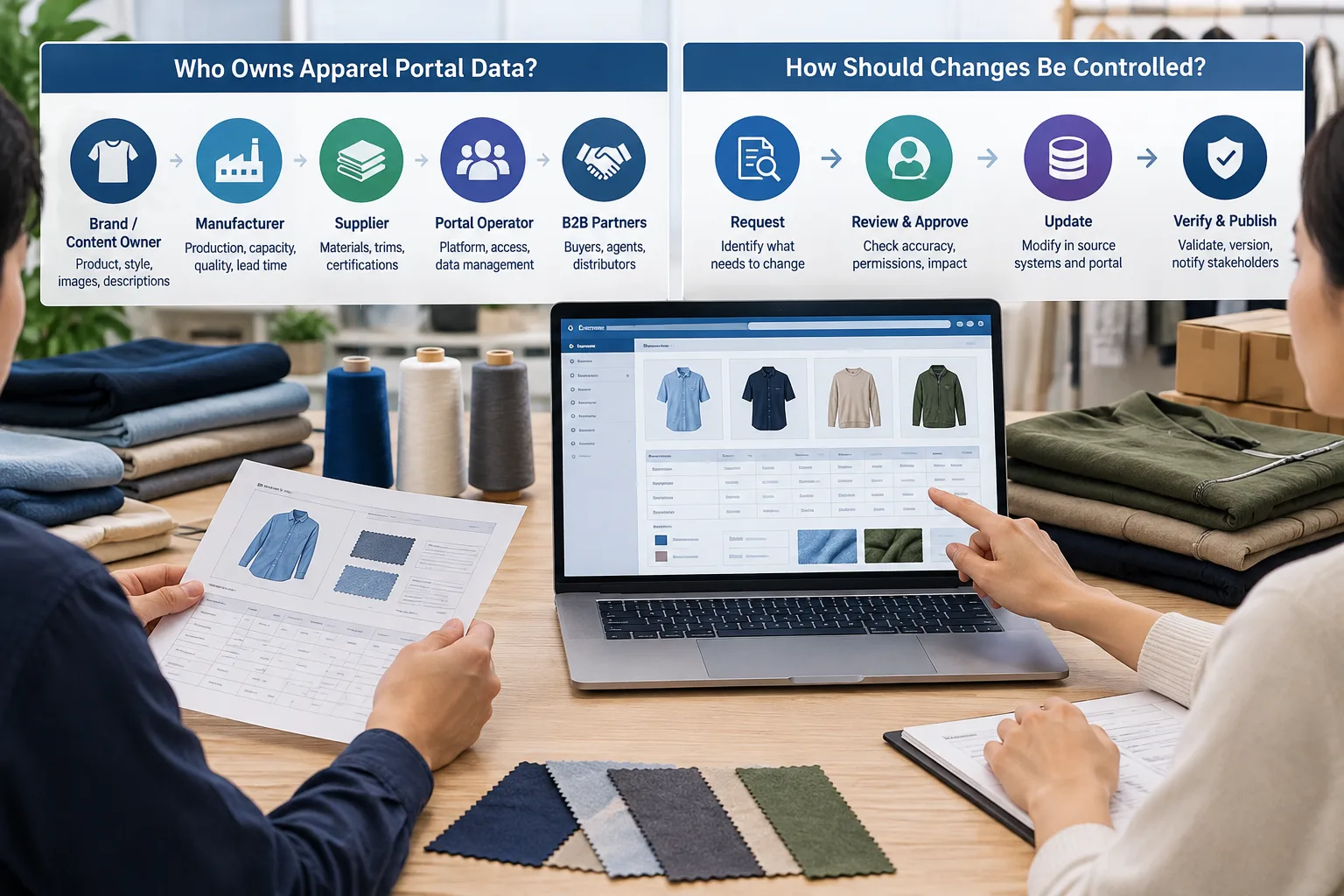
Who Owns Apparel Portal Data and How Should Changes Be Controlled?
Reliable apparel portal data needs accountable owners, even when several teams contribute to the same record. Assign responsibility by data domain: one owner may oversee style identity, another materials, another measurements, and others supplier details, pricing, images, or order status. The owner is responsible for the definition and quality of the field, not necessarily for entering every value.
Define who may create, review, approve, publish, revise, archive, and correct records. Status labels such as draft, under review, approved, published, and superseded can make the workflow visible when they match the company’s actual process. They should not be treated as universal requirements. A small business may begin with fewer states, provided the meaning of each state is clear.
Material changes should have a reason, effective date, responsible person, and applicable revision. This is especially important for measurements, materials, color references, pack information, and supplier instructions. A change to one field may affect a linked technical file, quotation, purchase order, or production instruction, so the review should consider related records rather than treating the field in isolation.
When two records conflict, the team needs an escalation path and an agreed source of truth for each field. “Latest file” is not always the same as “approved record.” Preserve superseded information where the business needs historical traceability, while clearly preventing users from mistaking it for current data.
Automation can enforce permitted values, route approvals, identify duplicates, or move records between systems. It cannot independently decide whether two color names describe the same commercial shade, whether a measurement change is intentional, or which supplier instruction has authority. Those decisions require defined business meaning and human accountability.
How to Measure and Improve Data Quality Without Overpromising ROI?
Choose measures that reflect actual work. Useful examples include missing required fields, duplicate records, rejected uploads, correction cycles, unresolved exceptions, and time spent reconciling records. A measure becomes more useful when its population, time period, calculation method, and owner are documented. Without that context, two teams may report different results under the same label.
Compare similar tasks before and after a controlled change. For example, a team could examine the same type of supplier file or product-range upload before and after introducing a field dictionary and review step. Keep the comparison focused on quality, processing time, and the effort required to correct problems. A vendor demonstration is not evidence of the results a particular apparel business will achieve.
A practical pilot starts with representative products and users. Establish a baseline, define what will be observed, and set conditions for expanding, revising, or stopping the pilot. Include training, integration work, maintenance, and exception handling when considering costs or savings. Any payback calculation should use validated project-specific figures rather than a universal benchmark.
Use a staged decision framework. Improve definitions first, then clarify ownership and workflow, then add validation, and only afterward consider more automation or a system change. This order helps reveal whether the underlying problem is ambiguous terminology, missing accountability, weak review practices, or a genuine technical limitation.
The next useful step is to select one representative product range and document its fields, owners, relationships, revisions, and known exceptions. Test that same data through the intended exchange and keep the results. This creates a practical baseline for improving apparel B2B portal data quality without assuming that a particular platform or automation method will solve every problem.
Frequently Asked Questions
What is apparel B2B portal data quality?
It is the degree to which apparel information is complete enough for its intended task, consistently defined, current, traceable to an owner, and usable by the receiving business. Quality depends on the workflow, so a catalog, technical package, order, and shipment record may need different controls.
Which apparel product fields should be standardized before a B2B portal upload?
Start with style or model identity, color, size labels, measurement units, materials, supplier references, document and image links, revision labels, status, and relevant commercial or packaging fields. Confirm which values are required by the specific portal or trading partner.
How can a team check whether apparel data was preserved during a system transfer?
Compare representative source and destination records field by field. Check identity, units, dimensions, materials, revisions, images, relationships, and error behavior. Testing only whether the file opens can miss changes that affect business meaning.
Who should own style, color, size, material, and revision data?
The business should assign an owner for each data domain. That owner defines the field, maintains its permitted values, and supports decisions about corrections. Other teams may enter or review data, but responsibility should remain visible.
Can automation fix inconsistent apparel product data?
Automation can detect patterns, apply validation rules, route approvals, and identify possible duplicates. It cannot reliably resolve ambiguous meanings without business definitions. Human owners must decide whether conflicting labels, measurements, materials, or revisions represent the same or different information.
What should a small apparel business do first to improve portal data reliability?
Choose one representative product range, identify the authoritative source and owner for each important field, standardize the key labels and units, and record unresolved exceptions. Then test an actual transfer and use the findings to improve the process before expanding it.