
An avatar pose selection workflow is a repeatable way to choose an avatar’s body position, movement state, and viewing angle based on what a team needs to review in a 3D garment. For apparel designers, product developers, pattern makers, and quality teams, the key is to select poses for the decision at hand, not just for visual appeal. Apparel Wiki is an independent educational publication; readers can learn more about its Sponsor information.
A neutral standing pose can provide a consistent starting point for examining silhouette and visible construction. A targeted action pose may reveal garment areas that are difficult to assess while the avatar is still. Neither pose, by itself, establishes physical fit, comfort, material behavior, or safety performance. A realistic render is still a digital result, not proof that the garment’s physical behavior has been validated.
What Is an Avatar Pose Selection Workflow?
In 3D apparel review, pose selection is part of planning what the digital garment view can show. The workflow connects a review objective to an avatar posture and camera view, then keeps those choices consistent enough to compare results. It is a practical method for organizing a review, not a universal software standard: the available poses and controls depend on the platform and the project.
Start with a baseline pose when the team needs a stable view of the garment’s overall outline, balance, seam placement, or hem position. Add a movement pose when the garment’s intended use raises a question that a static posture cannot address. These views can help identify areas for closer inspection, but observations such as apparent tension or distortion need interpretation against the pattern, avatar, material assumptions, and simulation setup.
Keep technical review distinct from presentation styling. A dynamic pose may communicate a product’s intended use, but a polished image is not automatically evidence of fit or mobility. Treat the rendered garment as an output shaped by its digital inputs and settings, and identify what still requires physical confirmation.
Start With the Garment Review Question
Before choosing a pose, write down the decision the review should support. Make the question operational: Is the team checking baseline silhouette, garment balance, sleeve movement, trouser articulation, visible drape, or presentation appearance? Naming the question helps distinguish construction review and fit impression from styling or communication to another team.
Choose the least complex pose that can make the relevant area easy to inspect. A baseline view may be enough to compare overall appearance; a movement-related question may call for a specific action. There is no single pose that answers every question across garment types. Add poses only when they contribute information to the review, and keep presentation views separate from technical evidence.
For a repeatable comparison, record the garment version, avatar version or identifier, pose name, camera view, and simulation settings used. These are editorially recommended documentation practices, not claims about features available in every application. When the garment changes, retaining the review context helps the team tell whether a visible difference may relate to the garment, the avatar, the pose, or the settings.
Build a Pose Set for Baseline, Movement, and Presentation
A compact pose set can cover common review needs without making every pose mandatory. The table is a planning aid: select rows that match the product and decision, and interpret visible findings rather than treating them as automatic diagnoses.
| Review objective | Pose type to consider | Areas to observe | What may still need validation |
|---|---|---|---|
| Compare overall garment appearance | Consistent neutral standing pose | Silhouette, balance, visible seams, hem position | Physical fit and construction on an appropriate sample |
| Inspect a sleeve or armhole question | Targeted arm elevation or reach | Sleeve and armhole appearance during the selected movement | Whether the digital inputs represent the relevant physical response |
| Review lower-body articulation | Relevant bending or stride-related pose | Trouser or skirt appearance around areas engaged by the movement | Fit and mobility in the intended use context |
| Communicate product styling | Presentation pose | Overall visual impression and styling | Technical questions that require a separate review |
Keep the avatar, garment version, and other comparison conditions controlled when comparing garment versions. If posture changes at the same time as the garment, the source of a visual difference may be unclear. Use presentation poses for merchandising or communication when appropriate, but do not substitute them for the views needed to assess construction or movement.
Match the Avatar and Pose to the Intended Wearer
Pose selection is inseparable from avatar selection. A digital garment is being observed on a particular body model, with particular measurements, proportions, posture, and movement assumptions. Choose an avatar whose dimensions and shape characteristics are relevant to the intended wearer or review population, but describe that choice precisely. A model used to visualize a sample is not automatically a representative model for every customer.
Measurements alone do not describe how a person occupies a garment. People with similar circumferences may differ in torso length, shoulder position, hip shape, posture, or habitual movement. Those differences can change how a sleeve, waistband, rise, armhole, or hem appears in a selected pose. For this reason, avatar posture and garment use should be considered together rather than treating a static virtual mannequin as a complete representation of wear.
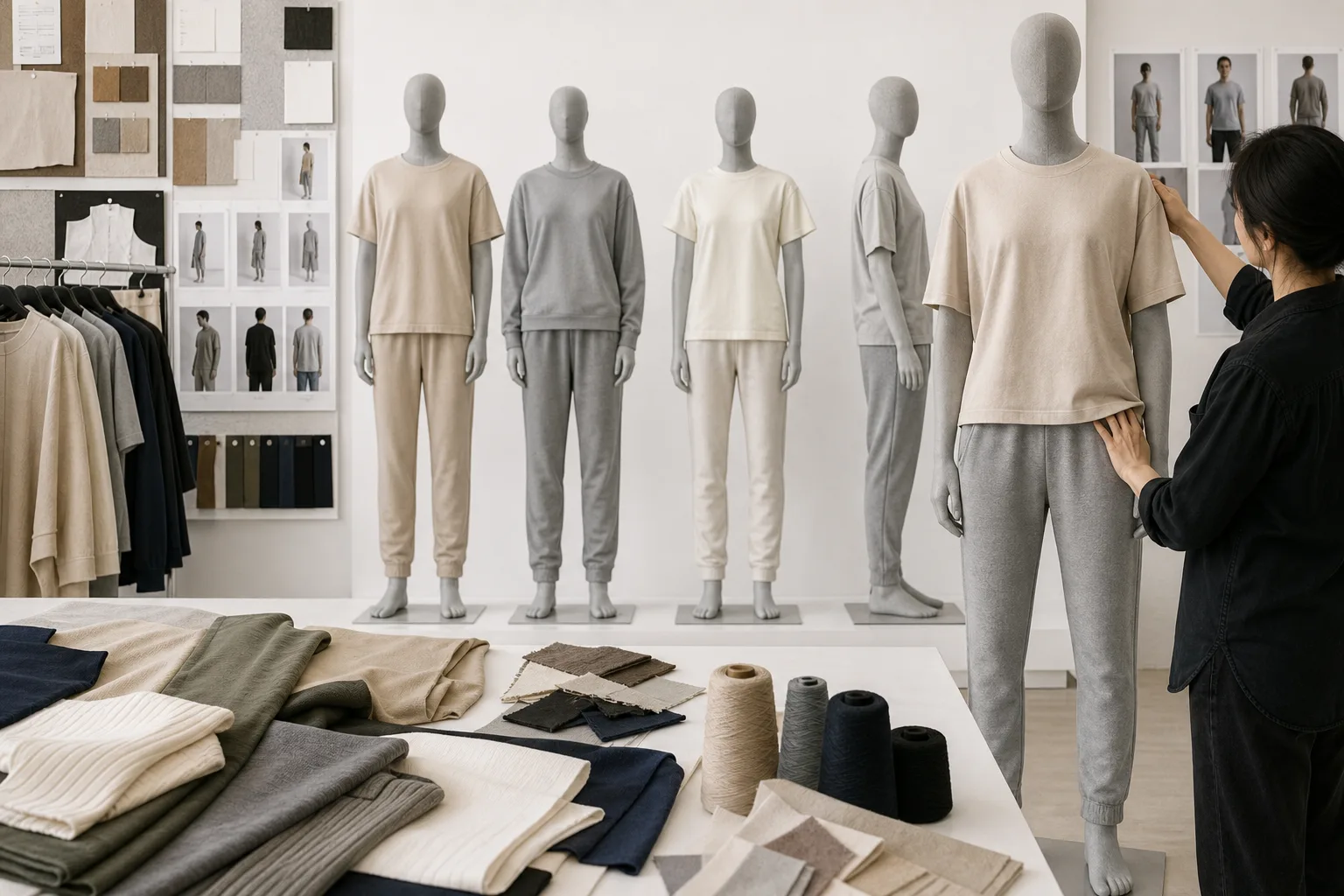
For a shirt intended for everyday movement, a standing avatar may be useful for baseline comparison, while an arm-elevation or reach pose may help frame a specific sleeve or armhole question. A trouser review may need a bending or stride-related pose. These choices do not establish universal fit; they make the digital review more relevant to the question being examined.
Record the avatar measurements, body-shape assumptions, posture, pose source, garment version, and known limitations in the review record. If the target population, size range, or body-shape data has not been defined, use conditional language and avoid presenting the avatar as statistically representative. One virtual model producing an acceptable visual result cannot prove that a garment fits every body type or every wearer in the intended market.
Evaluate the Garment in a Controlled Review Sequence
A controlled review sequence makes pose comparisons more useful. Before changing posture, keep the garment version, avatar, camera distance, lighting approach, and relevant simulation settings consistent. Where the software permits these controls, identify the pose and file version in the review record. Otherwise, a visual difference may come from a changed camera, material input, or garment revision rather than from the pose itself.
Begin with the baseline pose and review the garment by area. Note silhouette, balance, hem position, major seam placement, and visible areas that appear to require closer investigation. Then inspect only the targeted movement poses that answer the review question. Recording observations by garment area is more useful than relying on an overall impression, especially when comparing several garment versions.
- Confirm the review setup: identify the garment file, avatar, pose, camera view, lighting approach, and simulation settings.
- Review the baseline: examine overall silhouette, balance, seam placement, hem position, and apparent tension areas.
- Inspect targeted movement: use only the arm, bending, reach, or stride views relevant to the product and decision.
- Separate appearance from response: treat color and texture as visual inputs, while stretch, bending, compression, and recovery relate to physical response.
- Investigate before revising: compare a suspicious area with pattern geometry, seam construction, collision handling, and material assumptions before changing the pose.
- Classify the result: mark each observation as visually confirmed, requiring technical investigation, or requiring physical sample validation.
- Retain evidence: keep representative screenshots or notes with the pose and file version clearly identified.
A visible drag line, gap, fold, or tension area is an observation, not an automatic diagnosis. It may relate to pattern geometry, avatar shape, posture, seam placement, collision settings, or the way material behavior has been represented. The review should therefore ask what needs investigation next instead of treating a rendered image as a complete explanation of garment performance.
Keep the presentation view separate from technical evidence. A styled pose can communicate a product concept or merchandising direction, but it may obscure the views needed to examine construction or movement. For repeatable development work, a simple pose matrix can connect each review objective with its pose, observed garment areas, and remaining validation needs.
Know What Pose Review Can and Cannot Prove
An avatar pose review can help identify visible silhouette differences, apparent tension areas, balance concerns, and possible movement issues within the selected model and digital settings. It can also help a team prioritize which pattern areas, material assumptions, or construction details deserve closer attention. These are useful development observations, provided the record states what was actually viewed and under which conditions.
The result remains dependent on the paper pattern, avatar, material representation, collision behavior, and solver or simulation settings. A realistic render does not independently prove physical fit, comfort, hand feel, wash durability, production consistency, or safety performance. Appearance inputs also do not substitute for physical-response inputs: a convincing color or texture asset cannot establish how a textile stretches, bends, recovers, or feels.
Digital output should therefore be compared with the validation need behind the decision. A construction question may require inspection of an appropriate physical sample. A tactile or material question may require material or garment evaluation. A question involving wash changes, production variation, or safety-related performance needs the corresponding physical or laboratory validation before approval. The applicable method depends on the product and the risk being assessed.
Do not describe a single avatar passing a visual review as proof of universal consumer fit, and do not claim that digital sampling automatically eliminates physical samples. The responsible conclusion is narrower: the selected pose and inputs produced an observation that can guide the next development decision. Document unresolved risks, identify the person or team responsible for investigating them, and state what evidence is still required.
As the next step, turn the review record into a decision log. Preserve the garment and avatar versions, list the poses examined, summarize the observations, and assign each open question to technical investigation or physical validation. This keeps an avatar pose selection workflow educational and repeatable without confusing digital evidence with complete product proof.
What is an avatar pose selection workflow in 3D apparel?
It is a repeatable process for choosing an avatar body position, movement state, and viewing setup according to a specific digital garment review question.
Which pose should be used first when reviewing a virtual garment?
Start with the least complex baseline pose that clearly shows the decision area, usually a consistent neutral standing pose for silhouette and balance review.
How many avatar poses are needed for a 3D apparel review?
There is no universal number. Use the smallest project-dependent set that answers the review question, adding movement poses only when they provide relevant information.
Should the avatar pose match the garment’s intended activity?
Yes, when movement is part of the use case. Match the posture or action to the question while documenting that the selected pose represents only that review context.
Can one avatar pose prove that a garment fits all body types?
No. One avatar and pose show results for the selected model and settings. They cannot establish universal fit across different bodies, proportions, postures, or sizes.
Can digital avatar pose review replace a physical garment sample?
It can inform development and prioritize questions, but it does not by itself validate construction, comfort, hand feel, wash behavior, production consistency, or safety performance.