
Introduction: Why Project Management Tools Matter for Fashion Brands
In today’s fast-paced fashion industry, staying organized isn’t just a nice-to-have—it’s a must for brands of every size. With constant design updates, shifting deadlines, evolving trends, and rapid product launches, fashion teams are turning to project management tools like Trello and Asana to streamline their workflows and avoid costly mistakes. These visual, collaborative platforms help coordinate timelines, assign responsibilities, and foster communication between designers, marketers, suppliers, and leadership. This article breaks down how fashion brands can tap into the power of Trello and Asana, tailoring their features to tackle the industry’s unique challenges while fueling both creativity and productivity.
The Importance of Project Management in Fashion Brands

The fashion world is constantly racing against the clock. From tight seasonal calendars and multiple overlapping collections to photo shoots, marketing campaigns, and supplier follow-up, there’s little room for missteps. Project management tools help ensure that every task—from sourcing fabric to launching a new campaign—stays on track, reducing the risk of missed deadlines or production bottlenecks. Modern brands increasingly rely on such systems to keep teams accountable, monitor progress, and position themselves for growth.
Understanding the Unique Challenges of Fashion Project Management
Fashion brands face specific challenges: rapid trend cycles, complex production lifecycles, global supply chains, and fluctuating lead times. Multi-stage apparel manufacturing requires granular planning and the ability to pivot quickly. To manage these complexities, brands need project management approaches that balance strict timelines with creative flexibility. Ideally, the tool must also handle visual content, integrate with design and manufacturing software, and provide flexible yet actionable structures for everything from season planning to production delays.
Overview: Project Management Tools for Fashion Brands (Trello, Asana)
Both Trello and Asana have found favor within fashion for their flexible, visually-driven, and collaborative approaches. Let’s explore why these platforms stand out for fashion brands.
- Trello: Known for its card-based, Kanban-style boards that visually map out collections, timelines, and to-do’s. Ideal for creatives who prefer a visual workflow.
- Asana: Robust task management with project templates, timeline (Gantt chart) views, dependencies, and automation. Excellent for teams managing multi-step campaigns or product launches.
Trello: Visual Boards for Creative Teams
Trello’s drag-and-drop boards mimic the corkboards and sticky-note systems that many designers already love. Each board represents a project or collection. Tasks—represented as cards—progress through custom columns such as “Inspiration,” “Design,” “Sampling,” and “Production.” Images, file attachments, checklists, due dates, and Power-Ups (integrations) enrich each card, making it ideal for managing complex design and manufacturing workflows visually.
Asana: Streamlined Multi-Task Management
Asana’s organizational power lies in its ability to handle complex workflows with clarity. Projects break down into tasks and subtasks, each assignable with precise due dates and priorities. Timeline and Calendar views help fashion brands map out overlapping campaigns, launches, and collection deadlines. Teams can comment on tasks, share updates, and set dependencies to ensure that no detail is missed—critical for large-scale launches or apparel calendar planning.
Comparing Trello and Asana for Fashion Teams
| Feature | Trello | Asana |
|---|---|---|
| Visual Workflow | Excellent (Kanban boards) | Good (Board & List view) |
| Timeline View | Available via Power-Up | Built-in (Gantt-like) |
| Checklists/Subtasks | Strong | Very Strong (multi-level) |
| Attachments (Design Files) | Easy & Visual | Easy |
| Automations | Basic (Butler) | Advanced (Workflow builder) |
| Integrations | Many via Power-Ups | Many via App Directory |
| User Experience | Visual & simple | Structured & detailed |
| Learning Curve | Low | Medium |
Planning Fashion Collection Timelines with Project Management Tools
Fashion brands plan months in advance—think Spring/Summer and Fall/Winter seasons. Visualizing these timelines helps with vendor lead times, design reviews, approvals, and shipments. Trello, with its custom columns and due dates, and Asana, with its Calendar and Timeline views, both let brands map out every major and minor milestone. For more insights on managing lead times, see Apparel Wiki’s guide on Standard Lead Times for Fabric, Sampling, and Bulk.
Coordinating Creative, Technical, and Marketing Teams
Collection launches require tight coordination between design, technical, and marketing teams. Project management tools break silos: designers upload sketches, tech teams flag potential production issues, and marketers plan campaign assets—all within a unified platform. By keeping everyone in sync, brands can react quickly to trend shifts or supply chain hiccups.
Managing Task Dependencies and Avoiding Bottlenecks
In fashion, some steps can’t begin until others are complete—sampling before bulk ordering, photography after samples arrive, etc. Asana shines at setting task dependencies and alerting teams when a critical path is at risk. Trello supports this visually through card linking and automation. Understanding and preventing delays is crucial, as detailed in the Apparel Wiki guide 8 Proven Strategies to Handle Production Delays and Protect Your Supply Chain Timeline.
Integrations: Linking Design and Production Tools with Trello and Asana
Both Trello and Asana offer integrations with file storage (Google Drive, Dropbox), communication (Slack), and even design software (Adobe, Canva). Fashion brands can centralize sketches, tech packs, sample photos, and feedback all in one place, reducing the risk of missed attachments or outdated files.
Enhancing Communication and Collaboration
Real-time comments, tagging, and notifications ensure team members never miss critical updates or questions. This open flow of communication reduces email clutter and brings all discussion into the context of specific tasks or designs—helping brands move faster and stay aligned.
Utilizing Visual Boards for Design and Sample Review
Trello’s boards are especially powerful for organizing mood boards, sample approvals, and design iterations. Attach fabric swatches, inspiration, and feedback directly to cards. Use colored labels to track sample status: “Pending Review,” “Approved,” “Revise.” This visual clarity accelerates feedback cycles and unifies team vision.
Timeline and Calendar Views for Campaign and Launch Planning
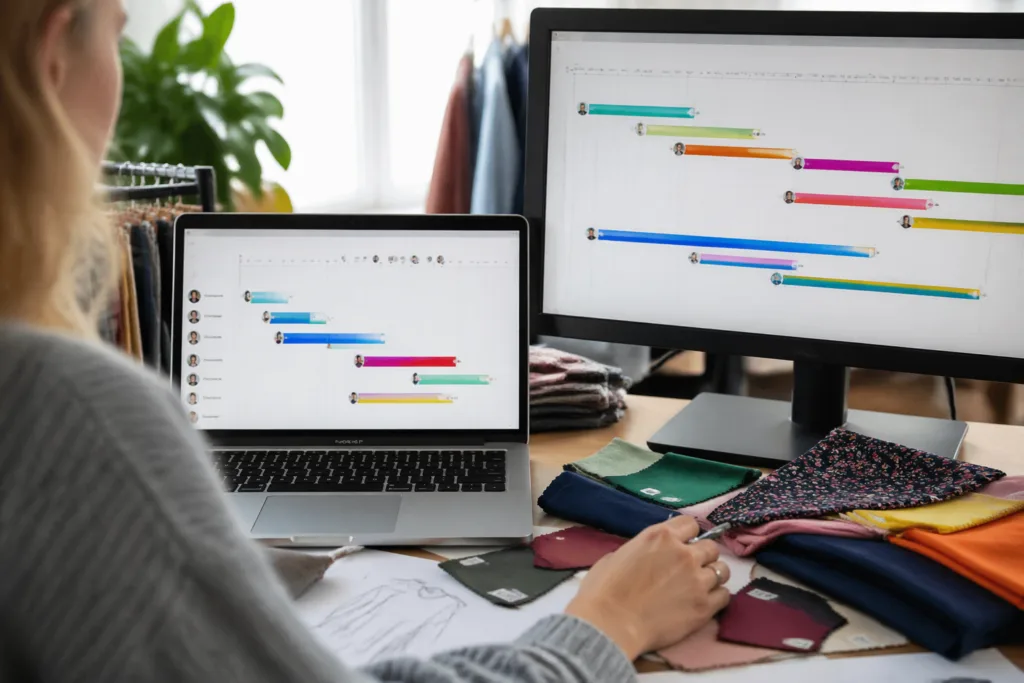
Asana’s Timeline view (and Trello’s Power-Ups) allow brands to plot key events from concept through to launch. Marketing teams can visualize all deadlines, PR roll-outs, and social campaigns. This ensures that when a new collection drops, every marketing asset is ready on time—and any risks are identified in advance.
Custom Templates for Repeated Fashion Workflows
Fashion brands repeat similar tasks for every season or collection: sourcing, sketching, sample making, lookbook creation, and launch. Both Trello and Asana allow creation of custom project templates, letting teams duplicate boards or workflows in seconds. This saves time and maintains consistency across seasons.
Managing Critical Paths and Buffer Time
For apparel brands, understanding and protecting the critical path is vital. A critical path identifies all tasks essential for hitting the launch date. Both tools help visualize and track these, while buffer time can be built into schedules to absorb unexpected setbacks. Learn more about crafting critical paths in Unlock 9 Smart Moves: Creating a Critical Path for Apparel Production (CPA) and about buffer planning in How Buffer Time Saves Your Project (And Your Sanity).
Syncing Sample Production, QC, and Approvals
Collaboration doesn’t end with design—quality control and sample approvals are project-critical. Teams can assign checklists for lab dips, fit reviews, color approvals, and bulk sign-offs, keeping all records within the project. This transparency gives everyone—from patternmakers to brand leadership—a single source of truth.
Supplier Coordination and File Sharing
Connecting with suppliers is often a pain point for fast-moving brands. Project management tools let you share tech packs, update specs, and collect sample feedback. As deadlines approach, you can track which supplier is responsible for each task and their delivery estimates, reducing last-minute surprises.
Monitoring Timelines to Reduce Risks and Delays
Delays are costly, harming both profits and brand reputation. Trello and Asana provide real-time timeline tracking, flag overdue items, and support early escalation. Brands that track progress holistically can respond faster when issues pop up and keep launches on schedule. For more on timeline secrets, see The Surprising Timeline Secrets Behind Fast Fashion vs. Slow Fashion.
Using Automation for Repetitive Tasks and Alerts
Automation saves fashion teams from the tedium of repeating basic steps. Trello’s Butler or Asana’s Rules can automatically assign tasks when a design is approved, set reminders for fit sessions, or move cards forward as tasks finish. Automation reduces manual errors and lets your team stay focused on creative, high-impact work.
Tracking Marketing Campaigns Alongside Product Development
Product development and marketing timelines run in parallel but must connect seamlessly at key moments. Organize both tracks side-by-side in Trello or Asana—linking launch dates, photography, influencer outreach, and store rollouts—to guarantee a well-coordinated, on-brand launch.
Advanced Reporting and Analytics in Trello and Asana
Staying on top of so many moving parts requires visibility. Asana’s reporting dashboard visualizes project status, workload distribution, and overdue actions. Trello’s dashboards (via Power-Ups) help visualize progress and resource allocation. These analytics inform decisions about where to allocate attention or resources for upcoming launches.
Onboarding Teams and Building Adoption
Switching to new project management tools often faces initial resistance. Both Trello and Asana offer intuitive interfaces and in-app tutorials. Start small—perhaps by piloting with a single collection. Show early results, such as less confusion and fewer missed deadlines, to build momentum across your teams. For brands just starting, Apparel Wiki recommends a phased rollout, focusing initially on your highest-risk or most complex projects.
Common Pitfalls to Avoid When Implementing Project Management Tools
Some teams go overboard with tracking, or fail to update progress in real time. Others create too many boards/projects, leading to confusion. Regular project reviews, concise task descriptions, and establishing clear update routines help brands unlock the full value of these platforms.
Maintaining Flexibility: Adapting to Fast Fashion vs. Slow Fashion
Not all brands operate on the same timeline. Fast fashion demands rapid responses, while slow fashion needs careful attention to quality and ethics. Project management tools are adaptable: customize boards, timelines, and workflows to match your brand’s philosophy. For a deep dive, read 5 Essential Insights for Successfully Developing Fashion Calendar’s SS & FW Collections.
How Apparel Wiki Can Help You Avoid Common Fashion Project Errors
Apparel Wiki has extensive industry experience simplifying project management for fashion brands. By sharing hands-on examples and practical templates, Apparel Wiki guides teams in avoiding common errors—like missing materials on bills of materials (BOM), underestimating lead times, or skipping buffer periods. These small changes can prevent big disasters when launching new collections.
Conclusion: Unlocking Productivity and Creativity with Project Management Tools
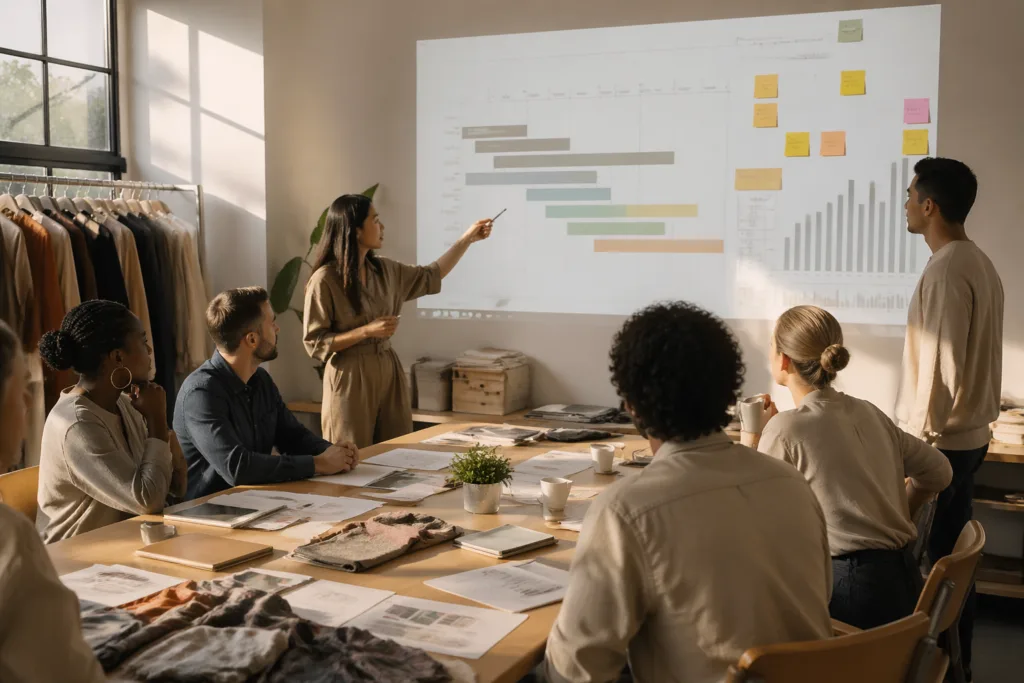
Fashion brands stand to gain tremendous value from project management tools like Trello and Asana. Whether you’re running a global supply chain or launching your first capsule collection, these platforms streamline every step—from design and development to marketing and supplier management. Their flexibility and visual communication enhance accountability, innovation, and on-time delivery—critical ingredients for competitive success in today’s apparel market.
Frequently Asked Questions
Can Trello and Asana integrate with design software?
Yes, both tools offer integrations with popular design apps like Adobe Creative Cloud, Dropbox, and Google Drive, letting you centralize sketches and tech packs.
Which tool is better for small fashion teams?
Trello is often easier for small, creative teams due to its visual boards and low learning curve, but Asana offers more advanced workflow features as brands scale up.
How do I manage overlapping fashion projects?
Both platforms support multiple boards or projects, so you can track several collections, campaigns, and supplier orders in parallel and monitor dependencies easily.
Is it possible to track sampling and bulk production in project management tools?
Yes, create dedicated boards or tasks for each stage—sampling, QC, approvals, and bulk—and use checklists and attachments for file management and progress tracking.
How can project management tools reduce production delays?
By visualizing deadlines, sending reminders, and making dependencies clear, these tools help teams spot potential hold-ups early and allocate resources proactively.
What’s the best way to onboard a fashion team to these platforms?
Begin with a single project, provide short training sessions, and encourage regular updates; demonstrating quick wins helps drive adoption and reduce confusion.
Related Reading
- Minimize Delays: Key Fabric and Sampling Lead Times
- Shield Your Timeline: Proven Strategies for Handling Production Delays
- Avoid Project Disaster—How to Use Buffer Time Effectively
- Master Critical Path Planning for Stress-Free Clothing Launches
- Fast vs. Slow Fashion: What Sets Their Timelines Apart?
- Secrets to Planning SS & FW Fashion Calendars